Start with the places where work happens.
Organise locations, rooms, work items and quantities. Set dates, track progress and make blocked work visible before it affects the next activity.

Planning · Site operations · Project control
Connect locations, crews, site records and approvals. Keep the evidence behind every update—from the first plan to the payment record.
For contractors, specialist trades, consultants and project owners.
Follow the work through each handover.
Location, scope and target dates
Crew, progress, blockers and evidence
Work inspection and consultant decision
Certification, paid amount and balance
A shared view of the work
Bring the plan, the daily site record and the approval trail into connected workflows your team can follow.
Organise locations, rooms, work items and quantities. Set dates, track progress and make blocked work visible before it affects the next activity.
Connect workforce deployment, daily notes, deliveries, files and evidence. Give issues a responsible team and a clear follow-up, with maps for site coordination.
Track material and work inspections, record decisions and follow corrections. Link accepted work to payment applications, then record certification and cumulative payments.
Three connected packages
Start with Planning. Add Site Operations for daily execution, then Project Control for formal approvals and payment tracking. Each package includes the one before it.
Structure the work.
See what is ready.
Your planning foundation
Coordinate the crew.
Keep the site record.
Everything in Planning, plus
Follow approvals.
Track the value.
Everything in Site Operations, plus
Package scope and commercial terms are discussed during the guided pilot. No online purchase is required.
Inside FinishLedger
Explore examples of the location, workforce and reporting interfaces. Layouts continue to evolve during early access.
Progress, deployed workers, blockers, materials and evidence are pulled into a focused daily view.
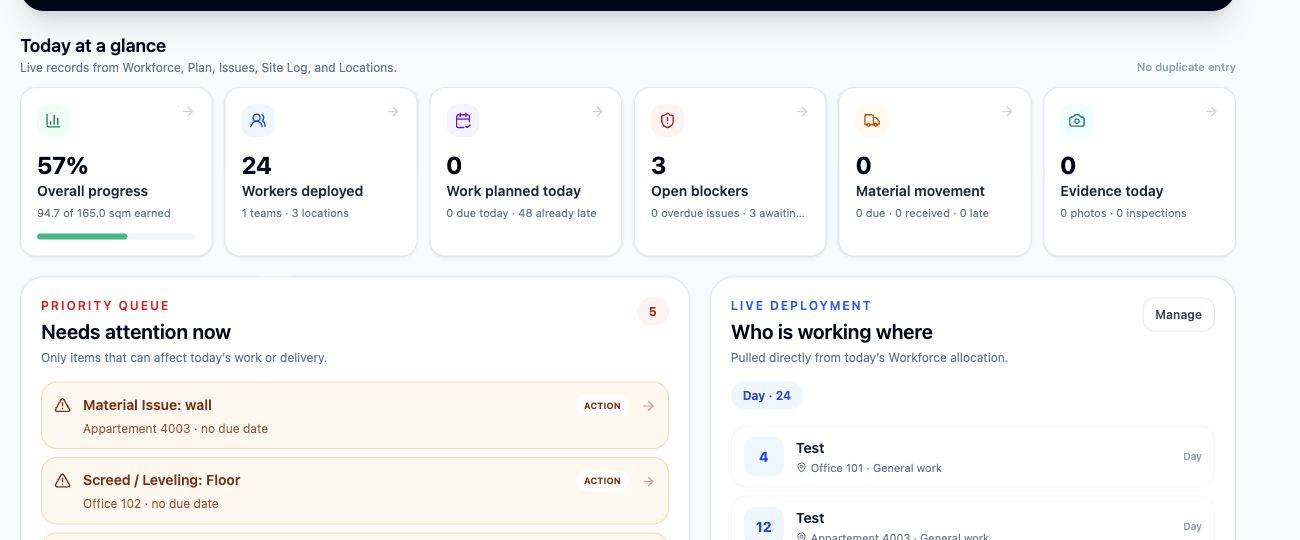
From the first plan to the payment record
The next person can see the work, its status and the record behind it. The full workflow is available with Project Control.
Set the location, scope, quantities and dates.
Deploy the crew and follow blockers.
Capture progress, daily notes and evidence.
Request approval and follow the decision.
Link approved work to claims, certification and recorded payments.
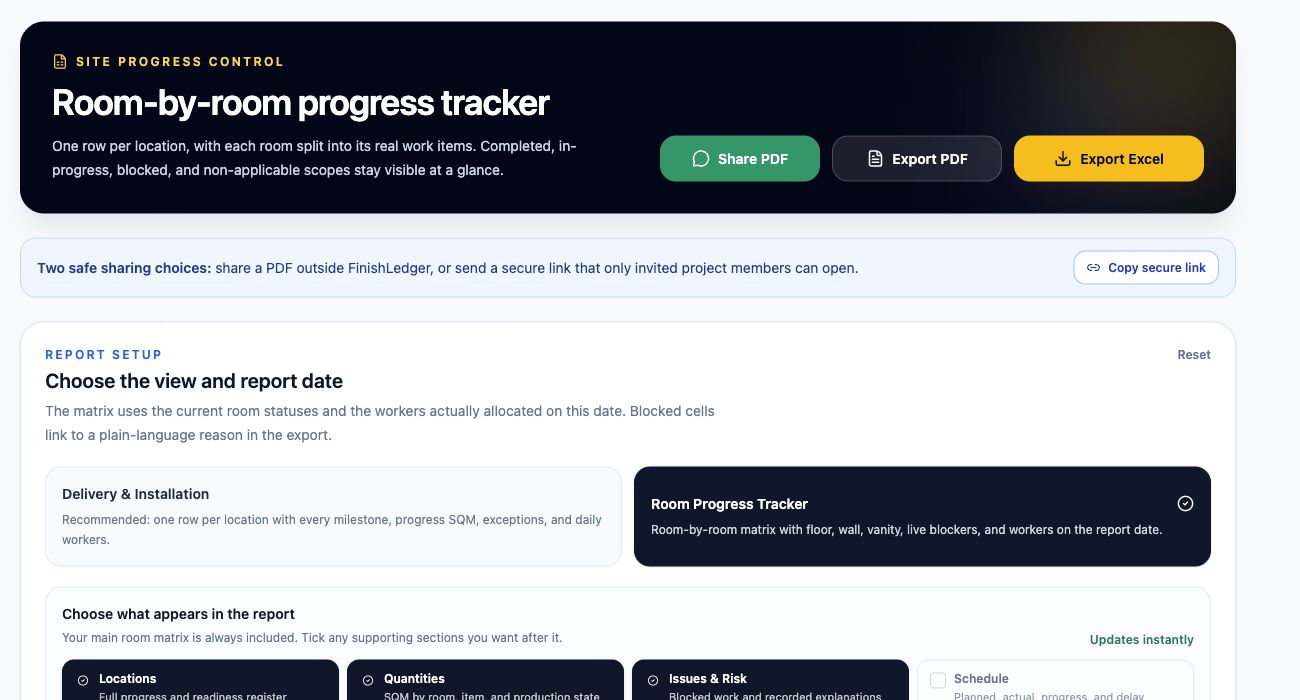
Reports from live records
Choose a progress, delivery, issues or full project report. Select the supporting sections you need and export your available project records to PDF or Excel.
Private by company and project
Separate company workspaces and project invitations define who can access your records. Owners, managers, engineers and viewers have different responsibilities and permissions.
Discuss a secure pilot →Invite people to the projects they need and revoke access when their work ends.
Keep evidence within project permissions, with controlled sharing for specific issues.
Updates carry authorship and timestamps for operational accountability.
Company boundaries and project membership govern access to each workspace.
Before your pilot
Contractors, specialist trades, consultants and project owners managing work across locations, rooms and work items. A pilot helps establish the right structure for your project.
No. Planning provides the foundation. Site Operations adds the daily execution workflows. Project Control includes both and adds inspections, payment tracking and Performance.
Setup imports are included in Planning. During the pilot, we review your existing files and agree how to structure locations, quantities and scope.
FinishLedger records claims, certification and amounts paid. It does not transfer money or replace your accounting system.
Broader offline field workflows are still being developed. We review your site connectivity and required workflows during the pilot rather than assuming every action will work offline.
We agree the workflows to test, set up one project and help your team use it. We review the results together before discussing the next stage.
Guided project pilot
Tell us where coordination is breaking down. We will review your workflow, help structure a first project and agree what a useful pilot should prove.